
QFreeRDP platform QPA
 First post of 2026, I wish you all the best for the new year.
In this post, I'm going to talk about an old project that I find very interesting and that is still up-to-date even after more than 10 years of existence: qfreerdp_platform. I've made some interesting improvements to this project recently, so I'm going to talk about them.
Qt internals

The Qt framework works with an abstraction of the platform on which it runs: Qt is designed with independent classes that implement widgets, QML scripting, rendering, etc. But the components that interacts with the system, such as sending content to the graphics card or collecting signals from input devices (keyboard, mouse, or touchscreen), are implemented by a QPA, a Qt Platform Abstraction. For example, when you run a Qt application on Linux, there will be a heuristic system that will either load the QPA for X11 (xcb) or the Wayland QPA.
I already mentioned this in 2013 in this post. An interesting thing is that
you can force the QPA that will be used by an application by
passing the parameter -platform <name of qpa> when calling the Qt program (this is why you
have to pass the command line parameters to QApplication, so that Qt can treat the arguments that are for him).
The really surprising thing is that any Qt program, without rebuild, can run on
both X11 and Wayland, or on a QPA that it is told to use...
qfreerdp_platform
This is where this project qfreerdp_platform comes in. It is a QPA that allows you to publish your Qt application on top of RDP.
For example, let's take mainapplication, one of the sample programs from Qt. If we run it locally, we get this:

But once qfreerdp_platform is compiled and installed, we can also run:
$ ./mainapplication -platform freerdp
And now, in another console, if we run (no login/password/domain):
$ xfreerdp3 /v:127.0.0.1 /u: /p: /d: /cert:ignore
You will see this remote connection window:
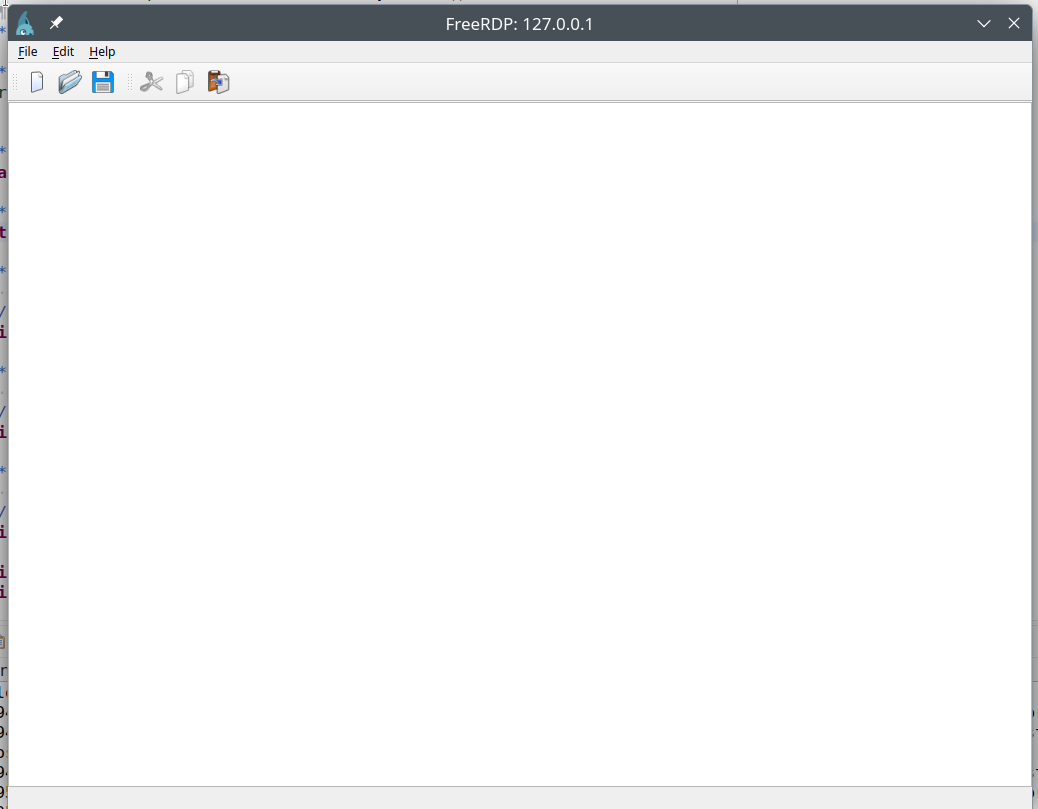
So, except for the theme, you have the same application but though RDP. I know that some people use that, to run an application on a mobile device, but to do the testing remotely. So the Qt application, will have all the interactions with the mobile's environment, but we can test quietly on our PC (connecting with a RDP client) rather than having to switch back and forth between the mobile and the desktop.
Latest improvements

For a while now, the project has been using meson as its build system instead of the infamous qmake: everyone hates cmake, but qmake is even worse!
The clipboard is implemented, so we have synchronization between the local (the machine running the RDP client) and remote (the Qt application) clipboards.
I've also been working lately on a minimal windowing system for qfreerdp_platform. The QPA is also responsible for interacting with any window manager, so when it comes to the QPA xcb for X11, it will do what is necessary with the X11 server and the window manager to decorate the Qt windows (the same with the wayland QPA).
But in the case of qfreerdp_platform, it's up to us to manage the windows: draw borders, add and handle a button
to close the window, manage focus, window movement and resizing, etc. After these improvements,
we have a basic but functional window manager.
In RDP, there's a feature that allows you to resize your RDP window. I already mentioned this in this post here and in this one. Basically, when you resize the window on the client side, it sends notifications of changes in monitor's sizes.
And so, as strange as it may seem, to have this dynamic resizing I had to implement support for multiple monitors in qfreerdp_platform.
So, with this pull request, we now have multi-monitor support: the Qt application “sees” the monitors sent by the client
and can act accordingly. For example, to avoid placing a window across two monitors, or
when asked to go full screen, it will enlarge the window on the current monitor.
Conclusion

This project is really promising. For example, you can also do without the RDP listener part and directly
pass the RDP client connection socket to QPA (create a socketpair and fork/exec the Qt application). In an
RDP server scenario, this would allow the server to have the RDP content generated directly by a Qt application that
you would have developed quietly on your desktop. Without having to send RDP commands manually as many projects do,
hello Xrdp or redemption !
I also have some work in progress for GL support in the QPA using DRI rendernodes, on a server with a supported graphics card, this allows you to use the full power of Qt, especially QML (see the Qt sample applications with particle management engines, etc.).
Honestly, it's so good that all you have to do is to try it!